For iPhone and iPad

Count down to the
moments that matter

Birthdays, anniversaries, trips, exams, holidays — every date worth waiting for gets its own beautiful card. Even lunar birthdays land on the right day, every year.

Free to download · Requires iOS 18 or later

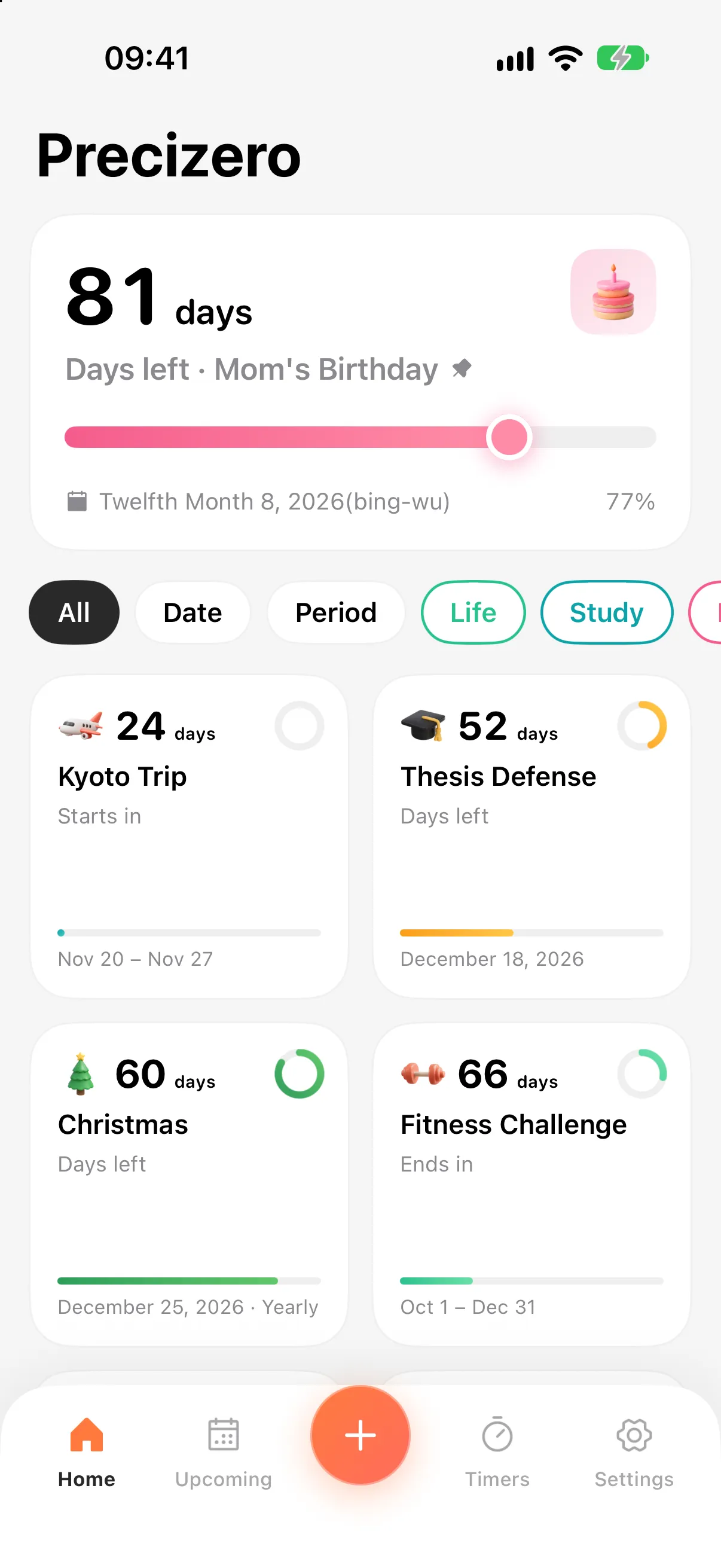
Precizero Home screen with a pinned countdown and a grid of countdowns
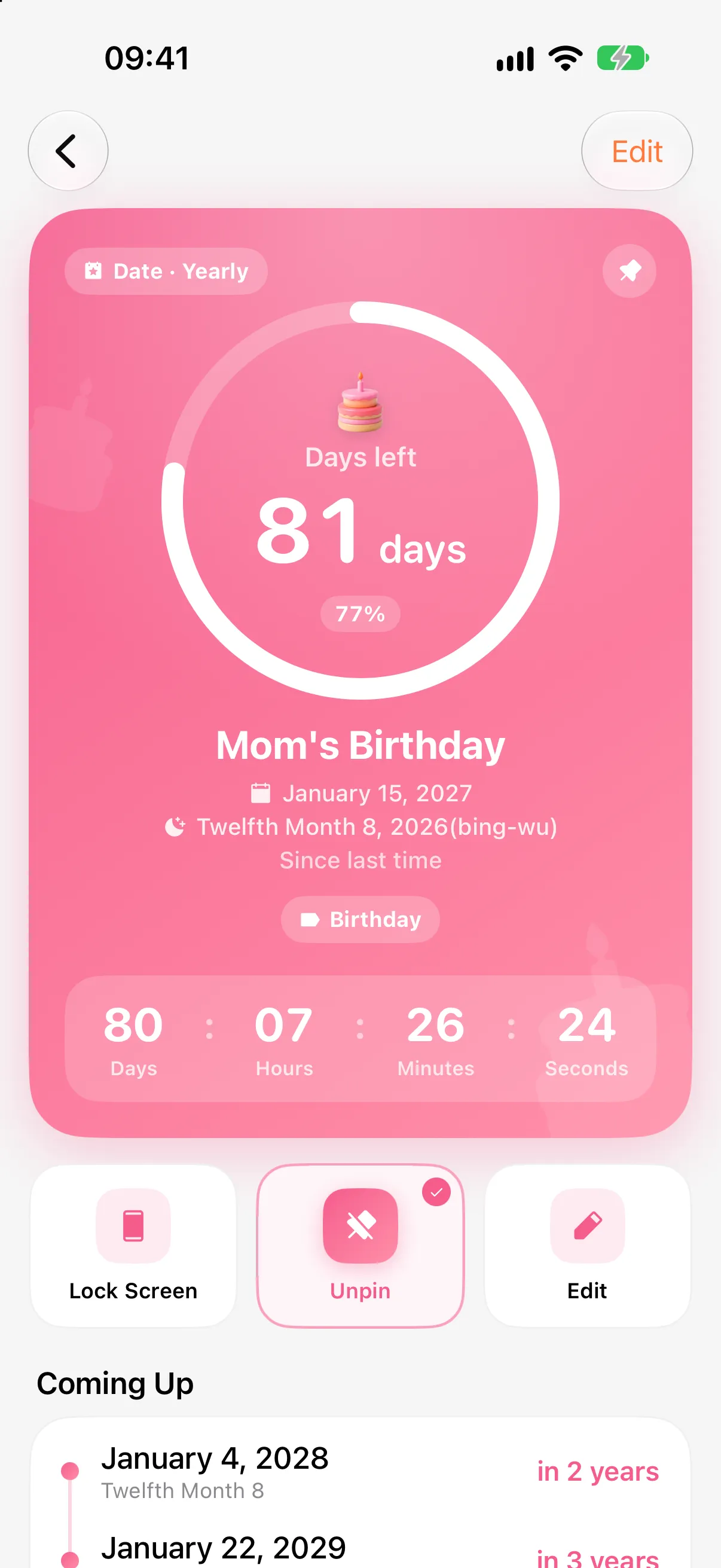
Countdown detail with a progress ring and days, hours, minutes and seconds
  • 5calendars
  • 53built-in holidays
  • 623D icons
  • 5languages
Calendars

Lunar birthdays, never off by a day

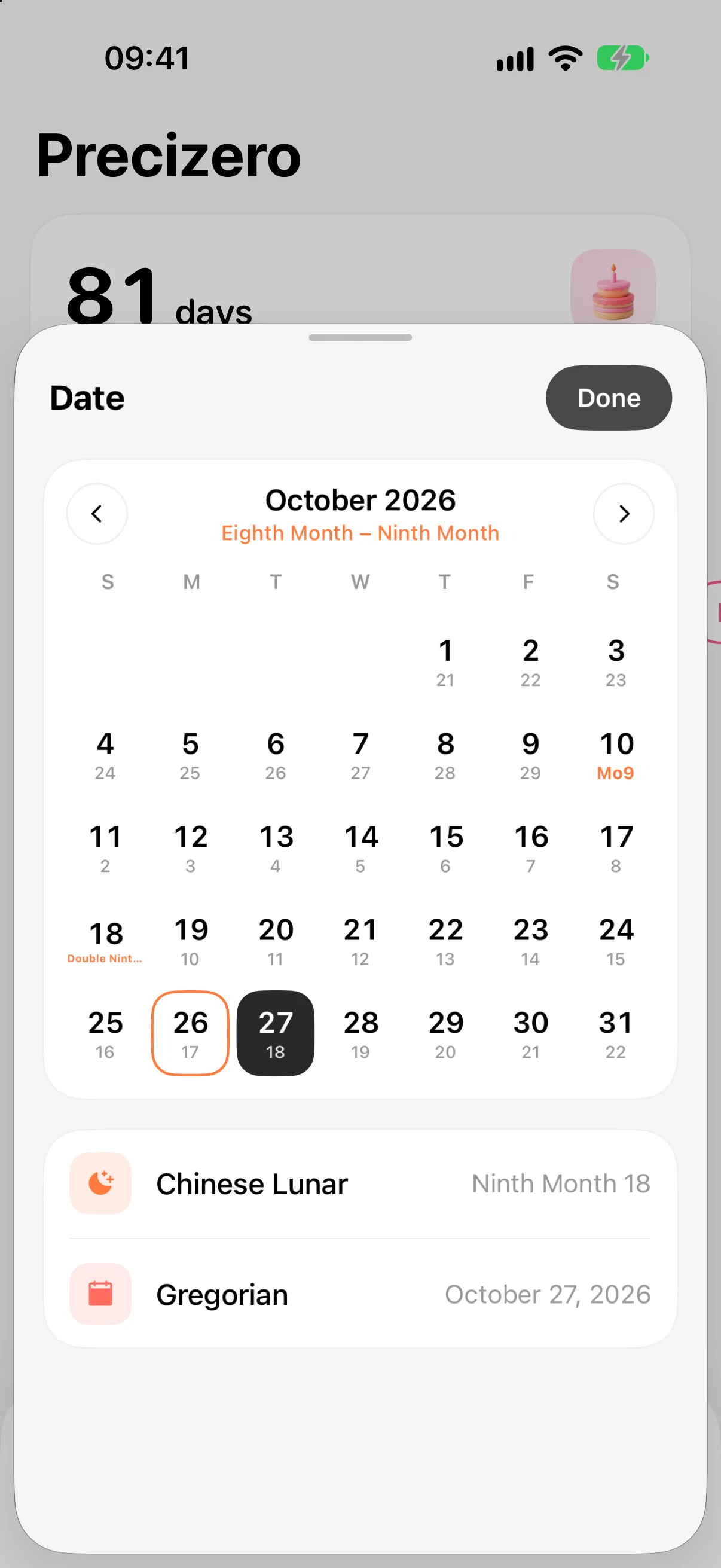
Pick the Chinese lunar, Hebrew, Islamic or Persian calendar and every day in the picker shows both dates, with holidays named right on the grid. Repeats follow the calendar you chose, so the 15th of the first lunar month is always the right day.

  • Gregorian · Chinese lunar · Hebrew · Islamic · Persian
  • 53 holidays, from Lunar New Year to Passover and Eid
  • Weeks start on Sunday or Monday, your call
Lunar date picker showing Gregorian and lunar dates on each day
Lock Screen & Dynamic Island

Always in sight, without opening the app

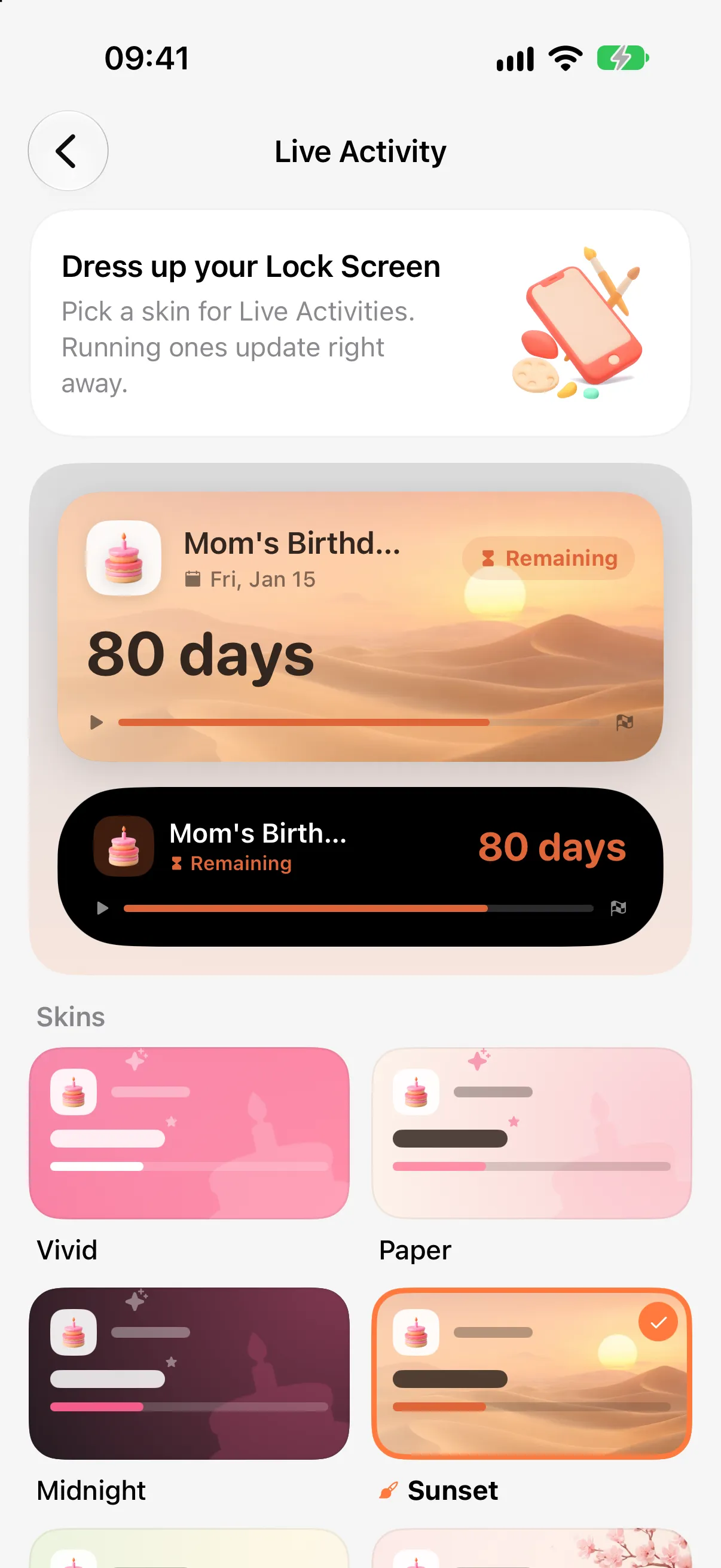
Put any countdown on your Lock Screen and in the Dynamic Island, ticking live. Choose from 7 skins, including illustrated sunset dunes, sakura and a cozy campfire.

  • Live Activities are free
  • Vivid, Paper, Midnight and 4 illustrated skins
  • Switch skins and running activities update instantly
Live Activity skins previewed on the Lock Screen and Dynamic Island
Home Screen widgets

A little something to look forward to

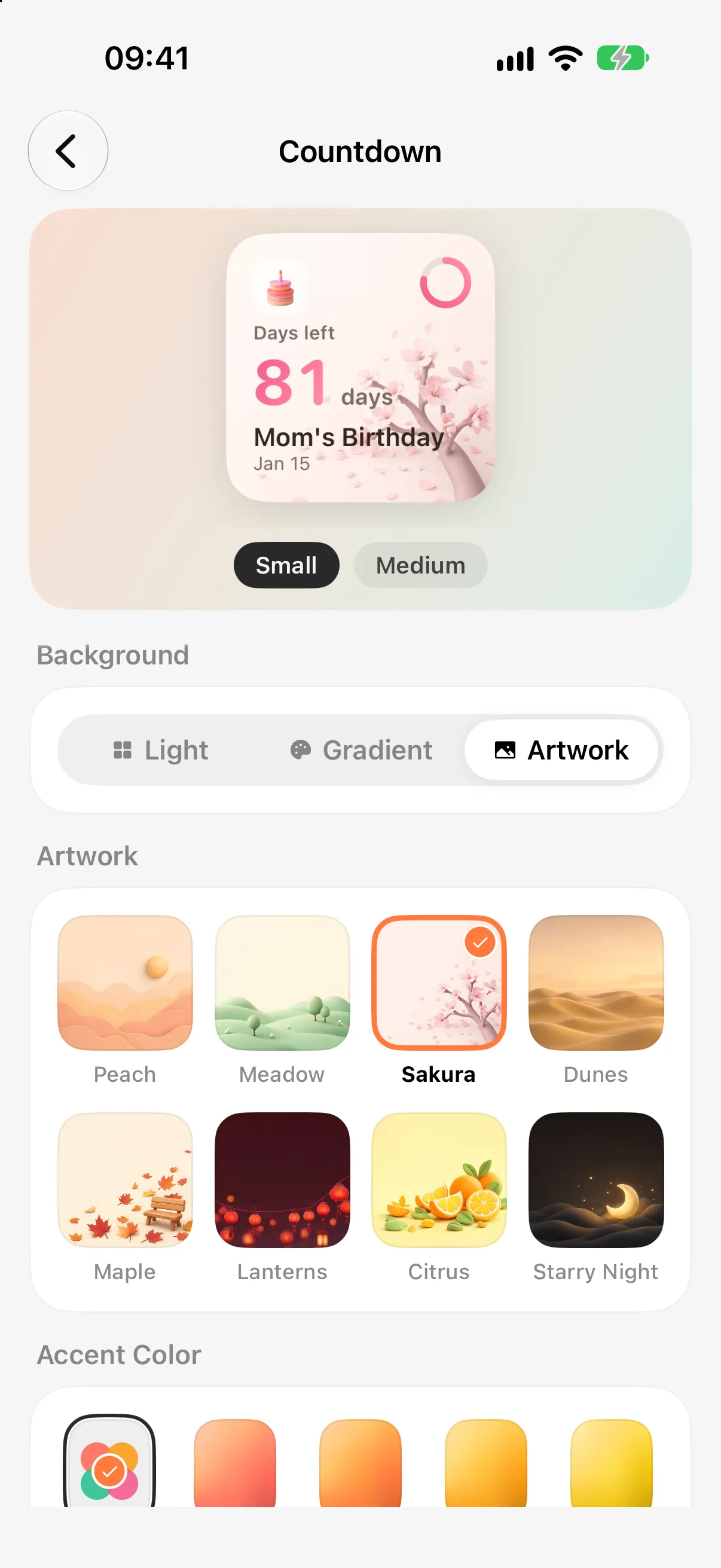
A single-countdown widget and an Upcoming list, in small, medium and large. Pick a light card, a soft gradient or built-in artwork, and match each countdown’s colour.

  • Swipe through every size while you customise
  • 8 built-in artworks, plus Pro exclusives
  • Lock Screen widgets too
Widget settings with artwork backgrounds and size previews
Quick timers

Noodles, focus, a break — one tap

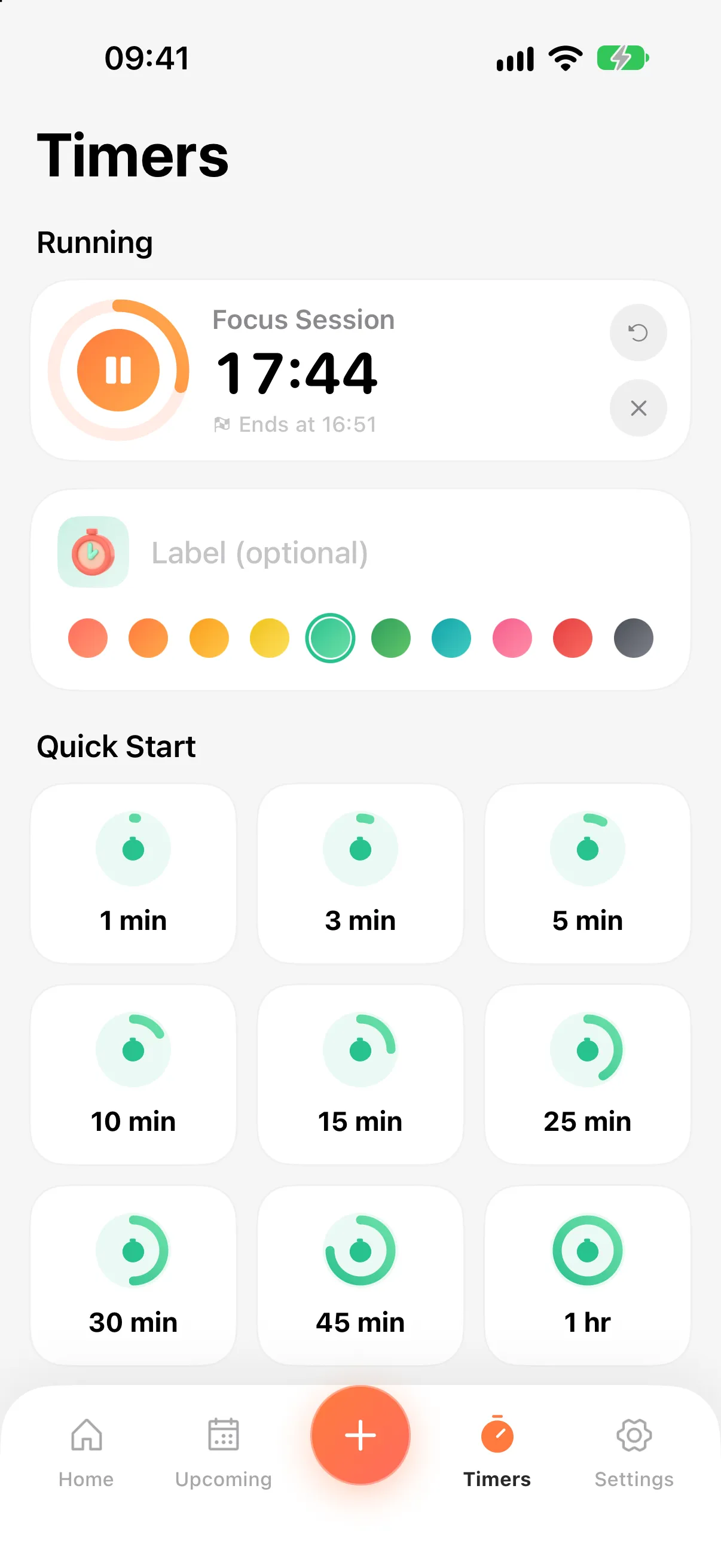
Start a timer from common presets or set your own duration and colour. When it’s done you get a notification with a “Start Again” button.

  • Pause, resume and restart
  • Follow it live on the Lock Screen
  • Finished timers tidy themselves up after a day
Timers screen with a running focus session and quick-start presets

Thoughtful details, everywhere

Small touches that make it a joy to use every day.

Early reminders

Minutes, days or weeks before — or at a set time like “the day before at 8 PM”. Add several to one countdown.

Tags

File countdowns under Work, Travel, Birthday and more, then filter the Home screen in one tap.

Flexible repeats

Daily, weekly, monthly, yearly or custom — like every 3 weeks. It rolls on to the next one by itself.

Lovely 3D icons

62 original clay-style icons — cakes, gifts, planes, graduation caps — so each countdown looks like itself.

Dark mode & haptics

Follow the system or choose light or dark. Subtle haptics everywhere, with one switch to turn them off.

Private by design

No account, no ad tracking. Your data stays on your device — and with iCloud sync on, only in your own iCloud.

Precizero Pro

Want even more? Go Pro

Everything essential is free, with no limit on how many countdowns you create. Pro unlocks a few extras and helps us keep polishing the app.

Monthly and yearly plans start with a 7-day free trial. A one-time lifetime purchase is also available.

Download & try it free
  • iCloud SyncCountdowns and tags stay in step across your iPhone and iPad.
  • Unlimited RemindersAs many early reminders as you like on every countdown (2 on the free plan).
  • Custom App Icons5 more hand-crafted icons — put your favourite on the Home Screen.
  • Exclusive artworkMaple, Lanterns, Citrus and Starry Night widget backgrounds.

Frequently asked questions

Lunar dates fall on a different Gregorian day each year. Will reminders be wrong?

No. With the lunar calendar selected, countdowns and repeats are calculated in that calendar, so the 8th of the twelfth month is reminded on the right day each year. The same goes for the other calendars.

What’s included for free?

Unlimited countdowns, Live Activities, widgets and timers are all free. The free plan allows up to 2 reminders per countdown; iCloud sync, custom app icons and exclusive artwork are Pro.

Is my data safe?

Precizero needs no account and collects no personal data. Everything stays on your device; with iCloud sync on, it lives in your Apple Account’s private iCloud database, visible only to you.

Which devices and languages are supported?

iPhone and iPad running iOS 18 or later. The app is available in English, Simplified Chinese, Traditional Chinese, Japanese and Korean, and you can switch language in Settings.

Your next big day starts counting today

Download Precizero and put it on your Lock Screen and Home Screen.

Download on the App Store